A browser-based visualizer for CNC .tap / .nc / .gcode files. Runs entirely offline — no server, no install. Drop a file in and watch the toolpath play back.
What it does
- Parses G0/G1 3-axis milling and G81 drill cycles
- Animates the toolpath with adjustable playback speed (0.05 pt/s up to 5k pt/s)
- Three views: Top (XY), Side (XZ), and a full 3D orbit view via Three.js
- Colour-codes moves by depth — shallow cuts in cyan, deep cuts in orange, rapids in yellow
- Builds a carved mesh from the toolpath so you can preview what the stock will look like after machining
- Multi-file support with per-file colour assignment
- Shows live X/Y/Z position, feed rate, spindle state, and ETA during playback
3D view
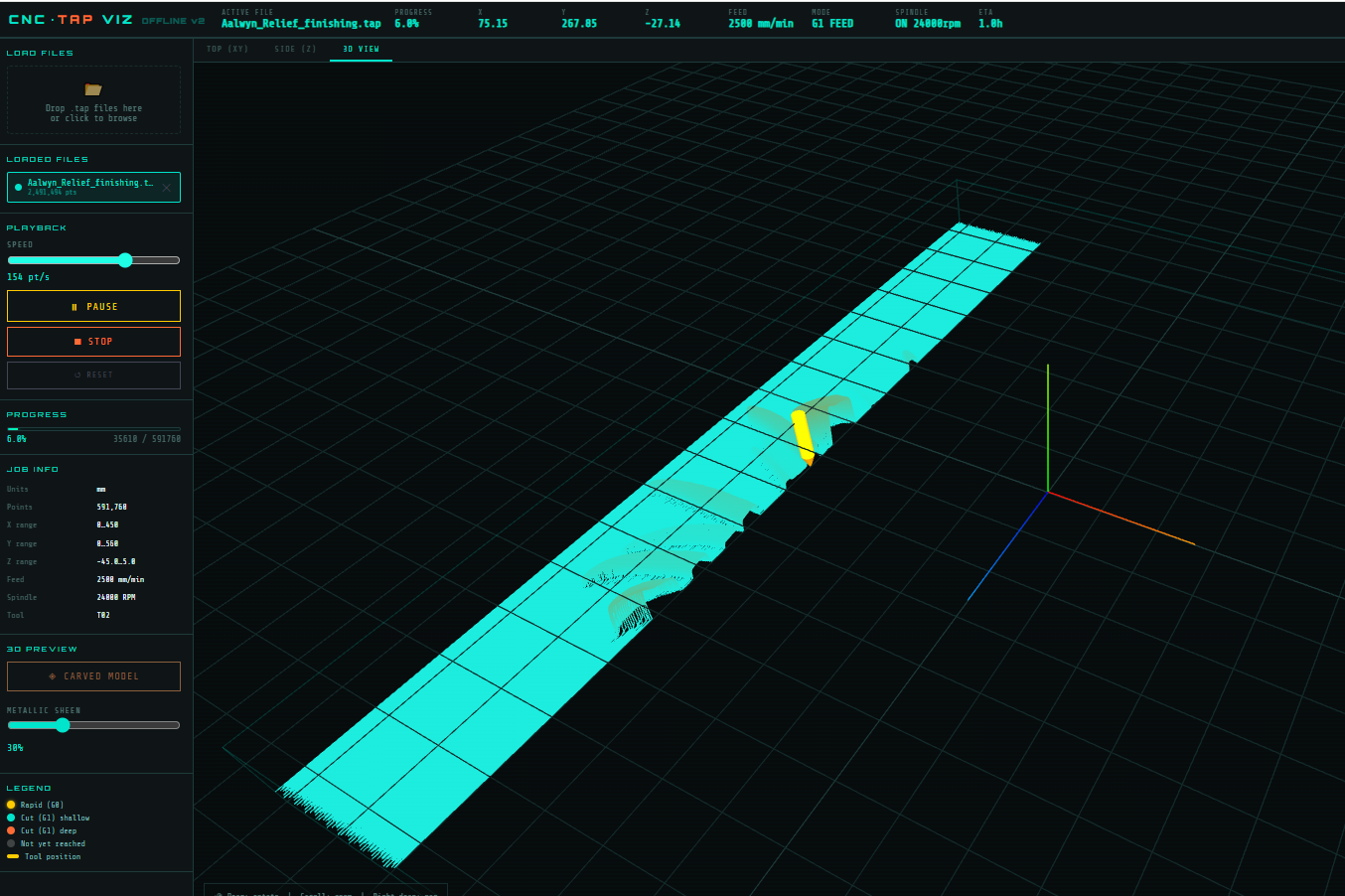
The 3D view renders the full toolpath as line segments with depth-mapped colouring. Left-drag rotates, scroll zooms, right-drag pans.
Carved model
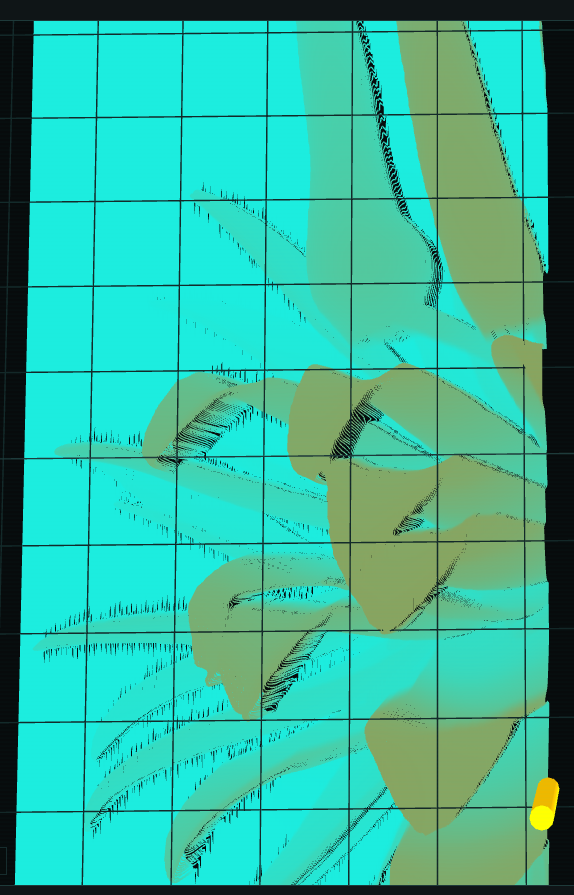
The carved model is built by walking every toolpath segment and recording the minimum Z reached at each grid cell (120×120). The result is a height-mapped mesh showing which areas have been cut and how deep. Useful for catching missed regions or checking depth consistency before running the job.
G-code support
1 | G0 — rapid positioning |
Implementation notes
- No build step. Single HTML file with an inline
<script>block. - Three.js loaded from CDN (r128). Everything else is vanilla JS.
- Large files (>80k points) are downsampled while preserving rapids, Z-direction changes, and the first point after every rapid. A 600k-point finishing file samples down to ~80k without losing the toolpath shape.
- The carved mesh walks segments using a Bresenham-style interpolation so long roughing strips fill every grid cell between endpoints, not just their start and end.
- Speed slider uses a log scale: slider position 1–1000 maps to 0.05–5000 pt/s.